A Chrome extension for Shopify stores

One look, many stores, every piece real.

Ensemble composes a purchasable outfit across Shopify stores: see it rendered on your own photo, get suggestions from the live catalog, and add every piece to its store's cart in one click.

Get the extension Free, open source, no account
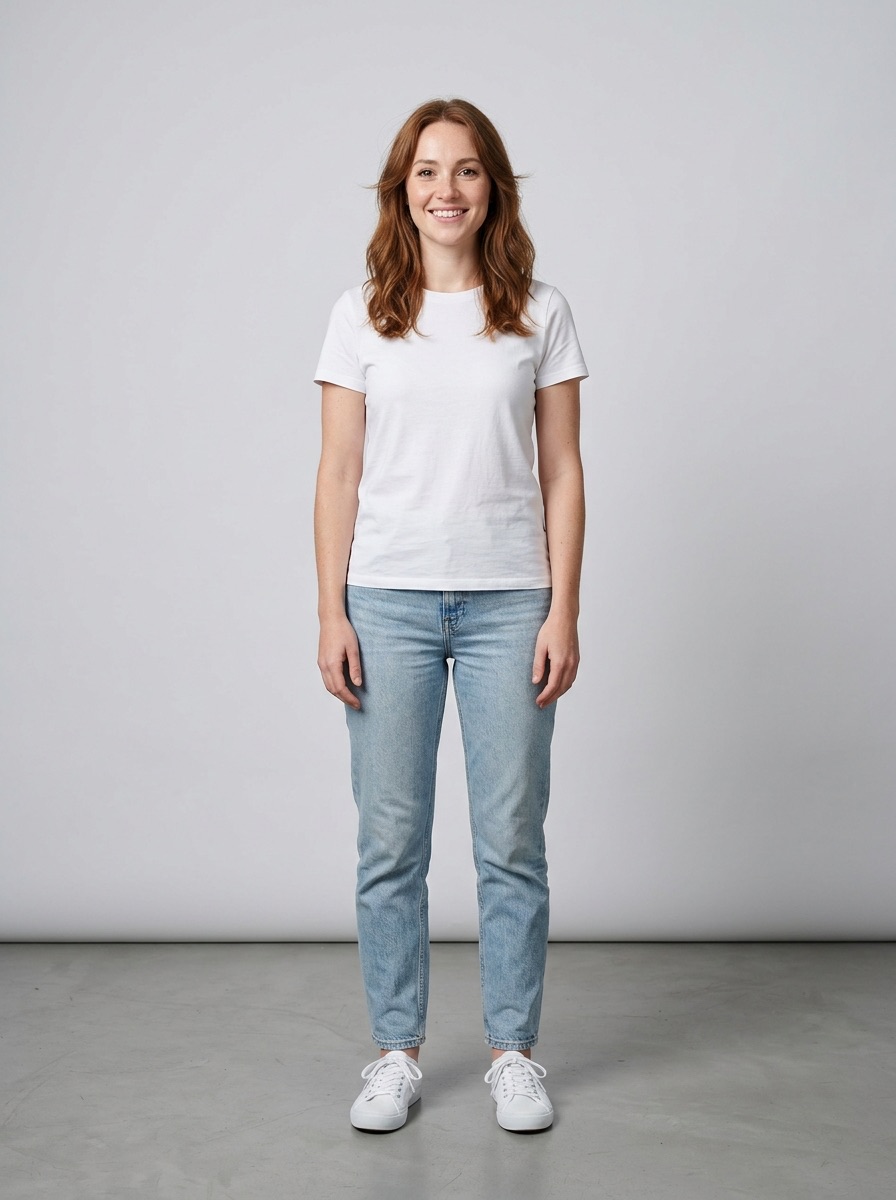
A photo of the shopper standing against a studio wall
Your photo
The same person rendered wearing a black wrap dress, bangles and sneakers from the look
The look, rendered
Real variantsexact size and color, live stock
Cross-store looksone total across every catalog
Native checkouteach store's own cart and flow
No servereverything runs in your browser

How it works

Try-on extensions paste a product image on your photo and stop. Ensemble knows what the item is: the store's live catalog, the exact variant, its price and stock, and the cart that sells it.

1

Set your photo

Once, in the side panel. It stays in your browser's local storage.

2

Browse any Shopify store

The catalog loads automatically, and every store you visit becomes a chip in the panel.

3

Build the look

Add pieces from one store or several. Suggestions draw on every catalog loaded this session.

4

Render, then buy

See the whole look on you, fill every store's cart in one click, and check out natively.

It meets you on the store page

No panel required. Hover any product tile for two buttons: Render on me and Suggest matches. On a product page, the pill picks up the exact size and color you selected.

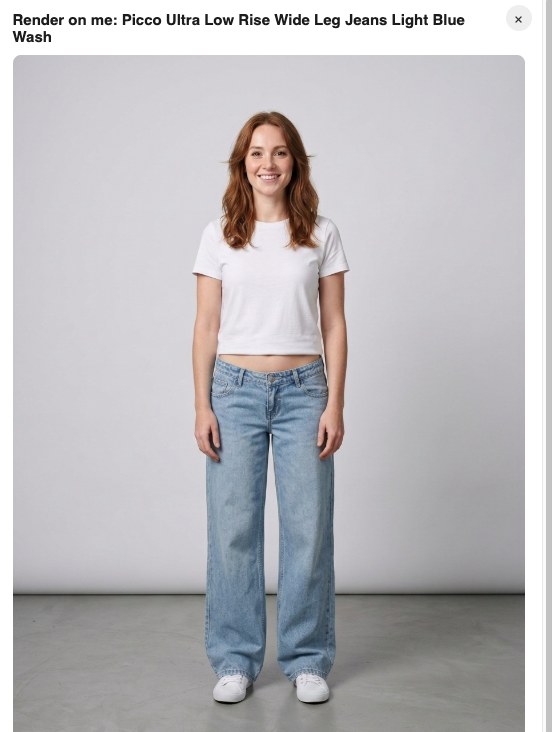
The Ensemble modal on a product page, showing the shopper rendered wearing the jeans from that page
Render on me. The jeans from this page, on your photo, without leaving the store.
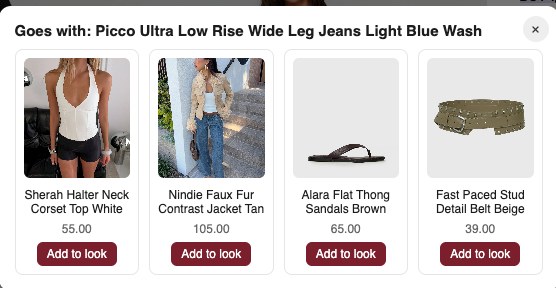
The Ensemble modal suggesting a corset top, jacket, sandals and belt that go with the jeans
Suggest matches. Pieces from the store's live inventory that complete the outfit, each one click from the look.

A look, not a moodboard

Every item in an Ensemble look is a specific, in-stock variant with a live price. The panel keeps one running total across stores, and Add all to carts fills each store's cart with exactly those variants.

  • Mix stores freely. A dress from one catalog, sneakers from another, one look, one total.
  • Selected variant travels. Pick US 2 on the product page and US 2 is what lands in the cart.
  • Checkout stays native. Ensemble fills the carts; you finish each one in the store's own checkout.
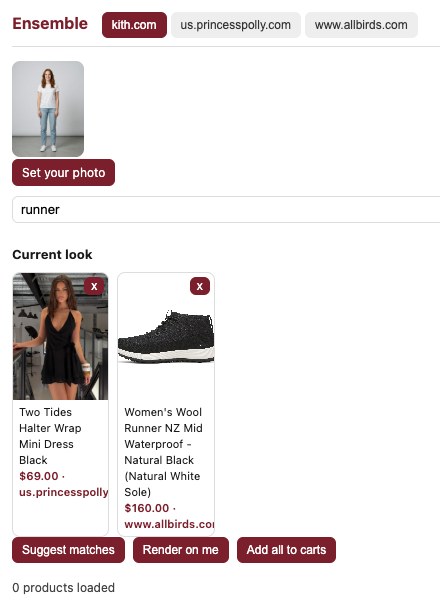
The Ensemble side panel showing a look with a dress and sneakers from two stores
$229.00 across 2 stores. A dress from one catalog, wool runners from another.

Under the hood: the store's own tools

Shopify storefronts expose native agent tools through the emerging WebMCP standard, and Ensemble speaks to them directly: catalog search, product lookup, cart updates, all through the store's supported surface rather than scraping. Stores without them fall back to the public catalog and cart endpoints. Either way, what you see is what the store actually sells.

search_catalog get_product update_cart get_cart /products.json /cart/add.js

Private by construction

There is no Ensemble server and no account. Your photo and your Gemini API key live in local extension storage. The only network calls are to the store you are browsing and, for renders and suggestions, to Google's Gemini API with your own key.

Get Ensemble

Ensemble is in developer preview, installed as an unpacked extension. Two minutes, no build step.

  1. Download ensemble.zip and unzip it, or clone github.com/sneg55/ensemble.
  2. Open chrome://extensions, turn on Developer mode, click Load unpacked, and pick the folder.
  3. Open the extension options and paste a Gemini API key. Free at aistudio.google.com/apikey; it stays on your machine and powers suggestions and try-on renders.
  4. Visit any Shopify store and click the Ensemble icon. Set your photo, build the look, render it, add all to carts.

Download ensemble.zip